
Low-Vision Gaming Accessibility:
Translating Player Research into a HUD Accessibility Framework
Graduate Capstone Project
Project Overview
Role: Research lead, synthesis owner, product requirements, project management
Team: 4-person UX research/design team
Timeline: 12 weeks
Methods: Competitive analysis, accessibility guideline review, interviews, participatory design, concept testing, prototype evaluation
Video games increasingly include accessibility features, but low-vision players still face barriers to play: critical gameplay information is often difficult to perceive and interpret in real time, and customizing to unique visual disabilities are limited.
For our graduate capstone, my team explored how low-vision players navigate complex game environments and what support they need for confident gameplay. I led research strategy, participant engagement, synthesis, and product requirements, translating player needs into a customizable Heads Up Display framework for game teams.
The final output was a tested prototype, a set of design requirements, and an accessibility framework focused on field of vision, information density, sensory redundancy, customization, and discoverability.
The Problem
Around 2.5 billion people play video games worldwide; of those, nearly 23 million people who play video games have a visual impairment.
Players often rely on workarounds such as screen magnification, contrast adjustments, community mods, walkthroughs, or external accessibility reviews. These workarounds can help, but they are inconsistent across games and rarely solve the full experience.
“We are blind, not dead! We like having fun too!”
“I have seen a few games that were specifically designed for people who are low vision... They were attempts at addressing a problem, but the game itself wasn’t something I would enjoy playing.”
“[Customization] solves this problem on a very individual level. I find that very respectful”
We focused on one especially important surface: the Heads Up Display, or HUD.
HUDs communicate essential game information such as health, inventory, map location, objectives, and status changes.
When HUD information is not accessible, it can become a barrier to gameplay.
Research Questions
How do low-vision players interpret spatial and status information in life and during gameplay?
What game genres, platforms, and video game titles would these learning strategies be most valuable?
What makes a HUD accessible, learnable, and trustworthy?
How can accessibility features be made discoverable before and during play?
Research approach
We conducted two rounds of research with 8 low-vision players in the United States and the Netherlands over 12 weeks.
Participants represented a range of visual conditions, gaming preferences, and experience levels, from beginner to advanced players.
The first round focused on understanding how players currently navigate games, what their biggest pain points were, and what adaptations they use.
The second round evaluated concept direction and helped us refine the final design requirements.
We also reviewed existing accessibility guidelines, including Xbox Accessibility Guidelines, and analyzed accessibility patterns across games to understand where industry guidance existed but was inconsistently applied.
The team took a participatory design approach.
Our 8 participants were valued design partners throughout the entire project, providing input through brainstorming sessions, rapid prototype iterations, and in-person / remote interviews
Formative Research
Research approach
We conducted two rounds of research with 8 low-vision players in the United States and the Netherlands over 12 weeks.
Participants represented a range of visual conditions, gaming preferences, and experience levels, from beginner to advanced players.
The first round focused on understanding how players currently navigate games, what their biggest pain points were, and what adaptations they use.
The second round evaluated concept direction and helped us refine the final design requirements.
We also reviewed existing accessibility guidelines, including Xbox Accessibility Guidelines, and analyzed accessibility patterns across games to understand where industry guidance existed but was inconsistently applied.


Participants were sourced through a combination of social network outreach and local organization partnerships
The team took a participatory design approach.
Our 8 participants were valued design partners throughout the entire project, providing input through brainstorming sessions, rapid prototype iterations, and in-person / remote interviews
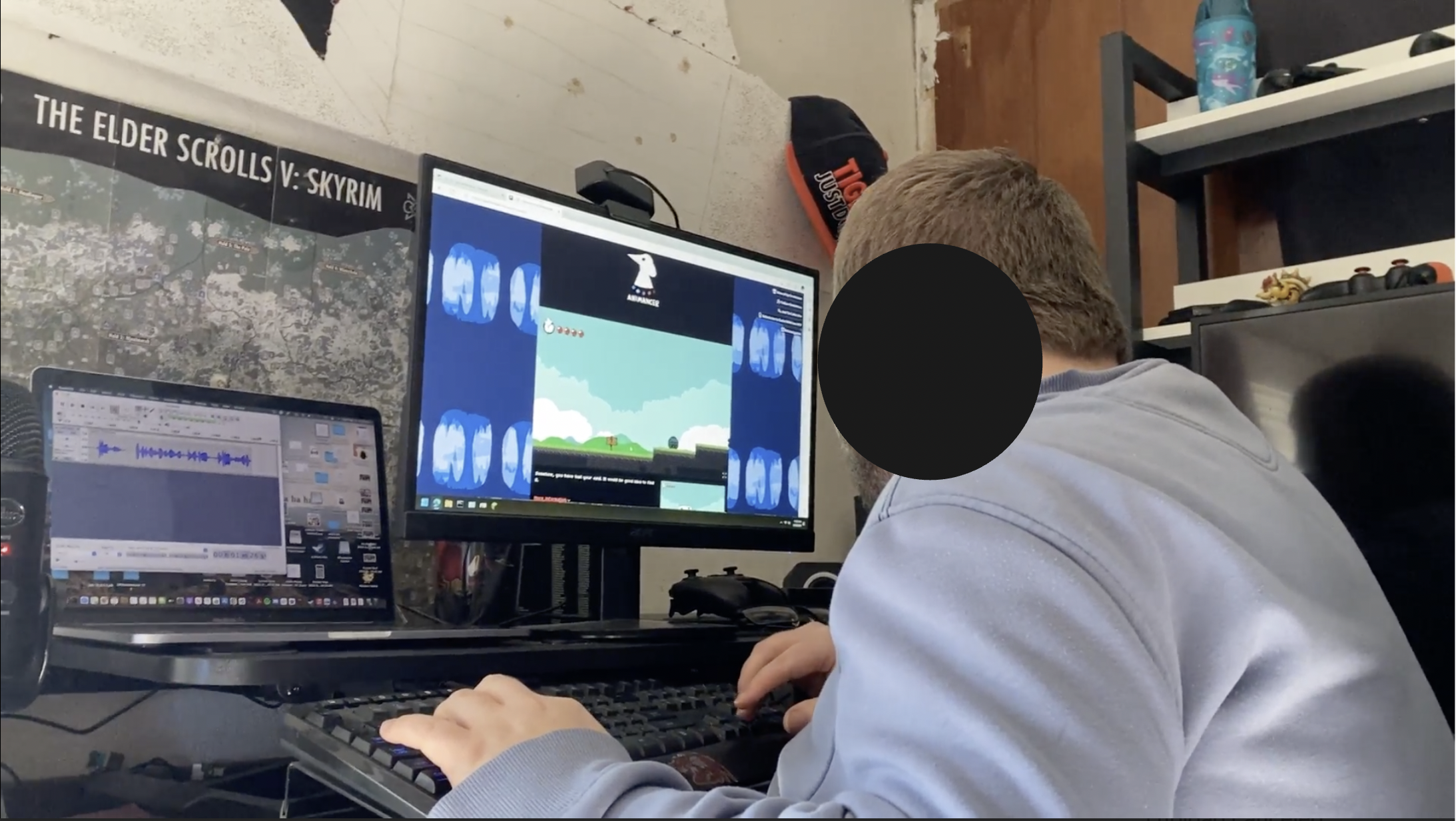
Study participant showing how they play a PC game in their home environment
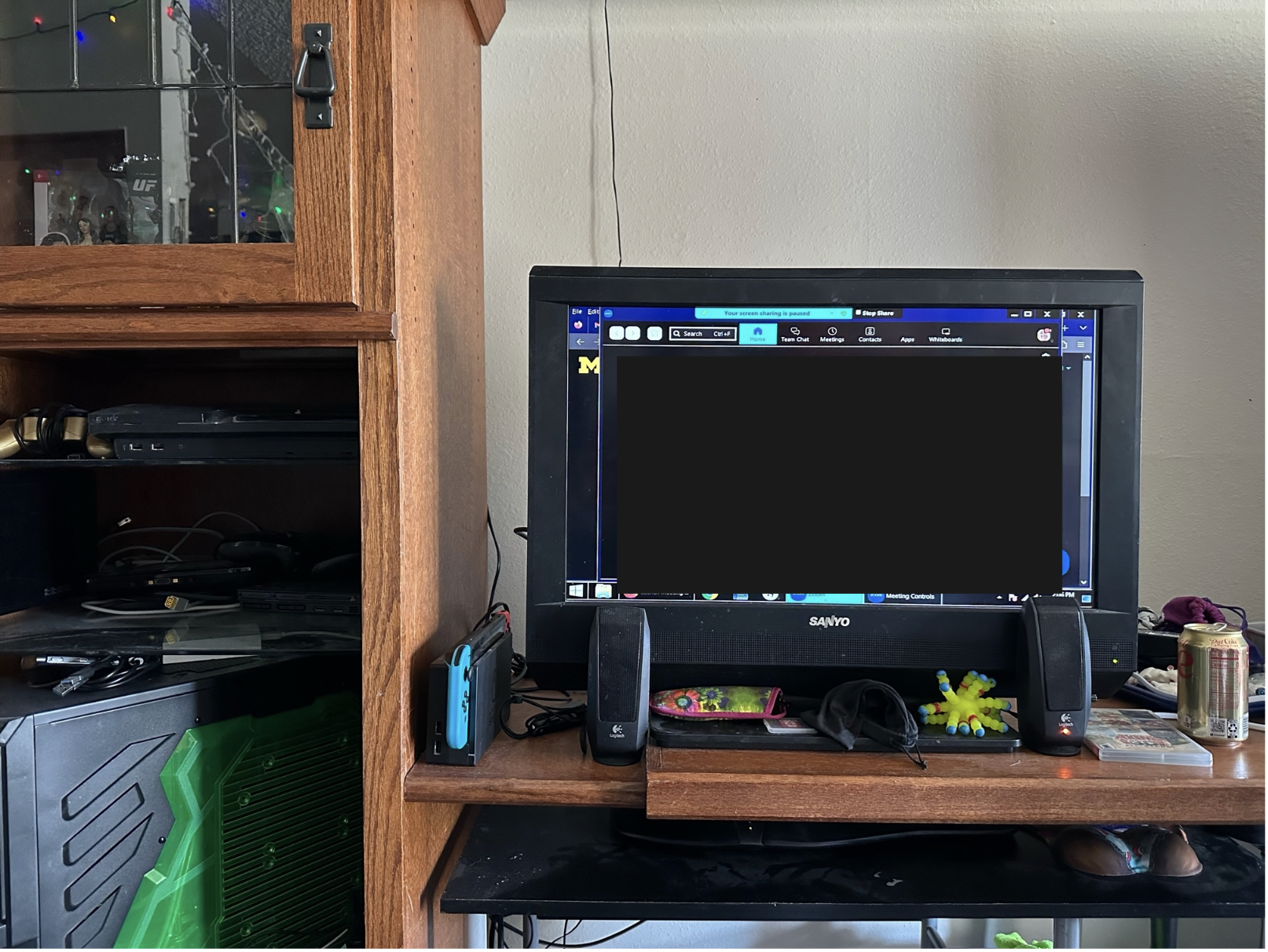
“Here’s my game setup! Large monitor/tv on a desk with another desk under it.”
Key insights
Accessibility confidence starts before gameplay.
Players often research a game’s accessibility before deciding whether to buy or play it. If accessibility information is vague, hidden, or dependent on community discovery, players may opt out entirely.
Product implication: Accessibility features need to not only be documented but heavily marketed.
“It’s like braille signage in the airport - how would we know to look for that? How would we know to look for accessibility options in a game if no one suggests it to us?”
HUD accessibility depends on both visual clarity and field of vision
Increasing text size or contrast helps, but it does not solve the full problem.
Some players can only comfortably focus on specific areas of the screen, making HUD placement just as important as legibility.
Product implication: Games should support element-level placement through presets or fine-tuned controls.
“[Center] is more natural because my eyes rapidly shake. I don’t have total control over my eyes, I’m trying to look up right now, but my eyes are struggling right now.”
Blank-slate customization can create cognitive load.
Players valued customization, but when “everything is customizable,” participants were overwhelmed by the possibilities. Participants were able to make better judgment calls when accessing a preset configuration compared to starting with a blank slate.
Product implication: Start with evidence-based presets, then allow deeper customization.
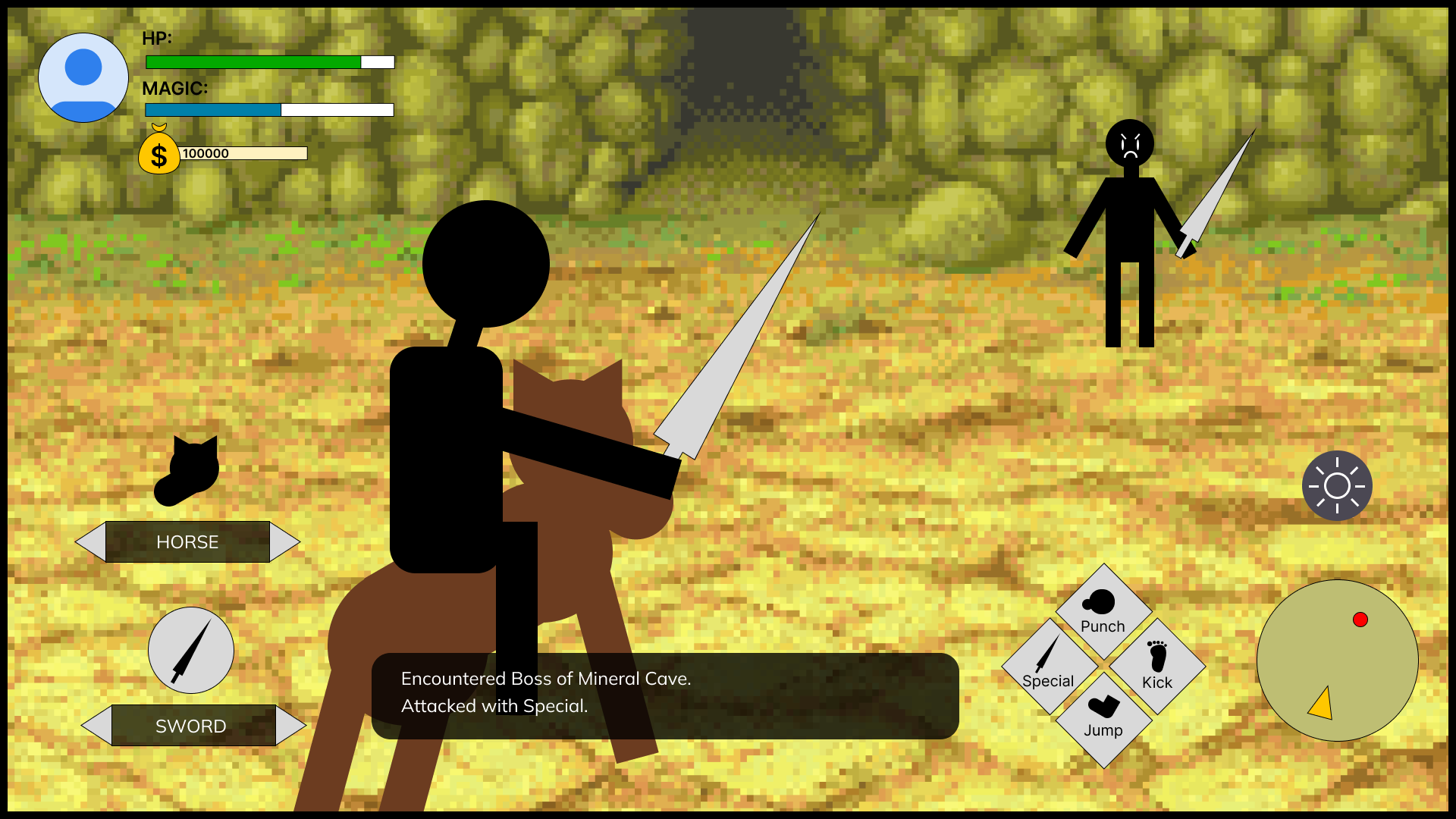
In this exercise, participants were told that all HUD elements were able to be adjusted.
Based on verbal dictation, the research team manipulated the HUD to suit their visual needs.
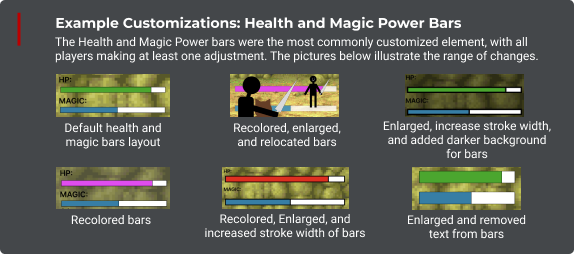
A selection of co-designed Health and Magic bars. These elements were among the most frequently customized due to game play importance.
Low-vision players use multiple senses to maintain orientation
Players often combine visual cues, audio feedback, haptics, memory, and environmental consistency to understand what is happening.
Product implication: HUD systems should not rely on visual changes alone. Audio narration and consistent information placement can reduce interpretation burden.
“You get comfortable with the scaling and the font size, and then anything different just throws you off ... I have the settings on my personal computer and work computer as exact as I can get them.”
“If tutorials are good at narrating what they’re doing, they’re the most helpful.”
Information density can be as important as information access.
More information is not always better. Players needed control over what appears, when it appears, and how much detail is shown.
Product implication: Accessible HUDs should support progressive disclosure, simplified views, and optional detail expansion.
“[A crowded screen] is an information overload for my eyes”
Gaming Accessibility Framework
Our synthesis produced five principles for HUD accessibility
-
Critical information should be movable into the player’s usable visual area.
-
Players should be able to reduce, hide, or expand HUD elements depending on gameplay context.
-
Presets should provide a strong starting point, with deeper customization available when needed.
-
Important information should be available through more than one sensory channel, including visual, audio, and haptic feedback where appropriate.
-
Accessibility options should be visible before purchase, during onboarding, and within settings.
Final Design
Product direction
We designed a customizable HUD system modeled in The Legend of Zelda: Breath of the Wild, selected because participants were familiar with the game, it relies heavily on exploration, and the Nintendo Switch had limited accessibility options.
The concept allowed players to adjust HUD element size, color, contrast, background, location, and supporting text.
It also introduced accessibility presets, including a Center mode that moved key HUD elements into the middle field of vision for players with limited peripheral vision.
Rather than making players build an accessible layout from scratch, the system offered recommended presets that could be modified and saved.
The prototype tested strongly with participants, who responded positively to the ability to adapt the HUD to their own vision needs while still having guided starting points.
Prototype Element: Marketing on top gaming news websites
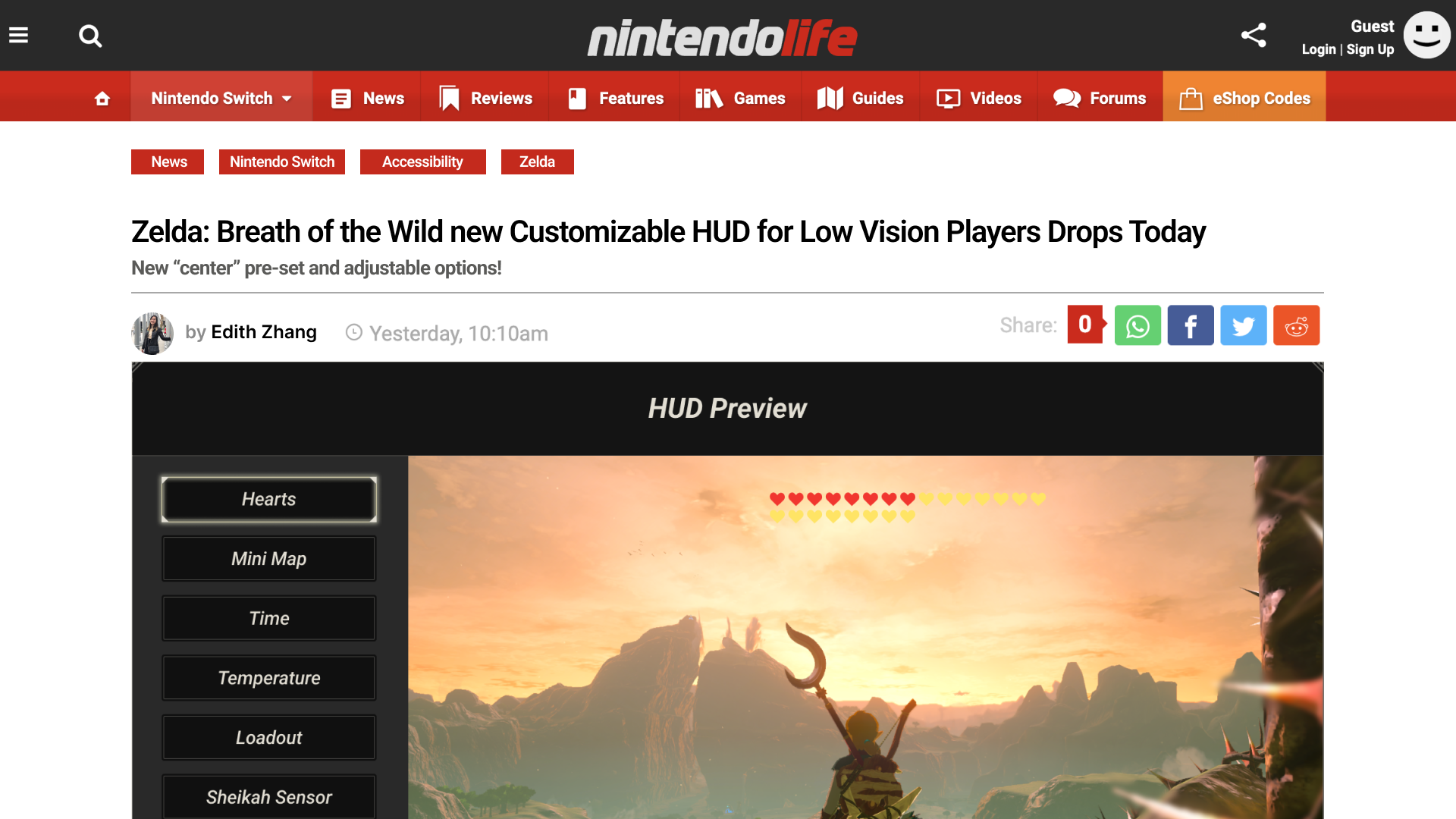
Fictional article on Nintendo Life website to advertise HUD customization systems to target users
Prototype Elements: Presets
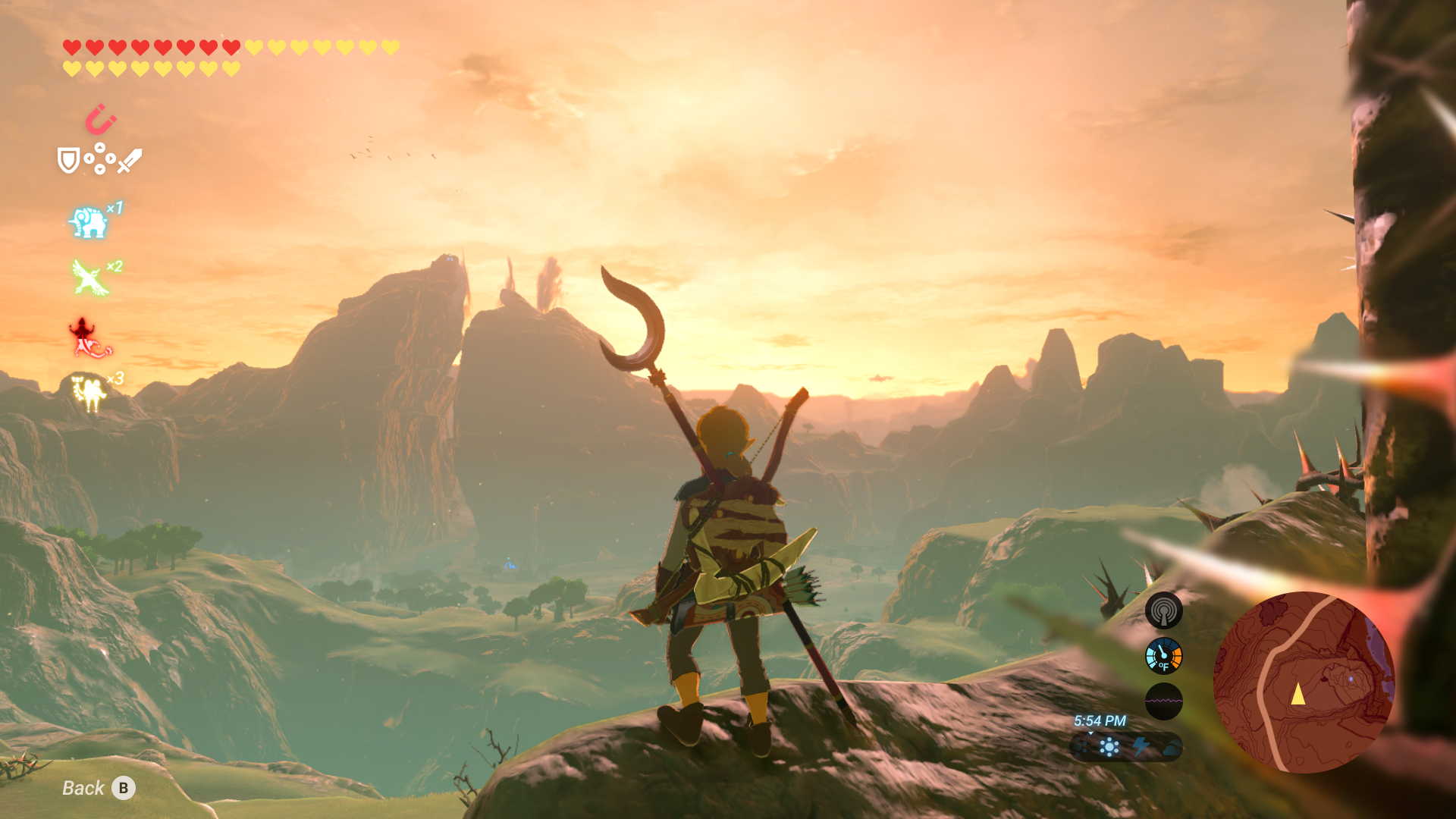
Normal: Default HUD
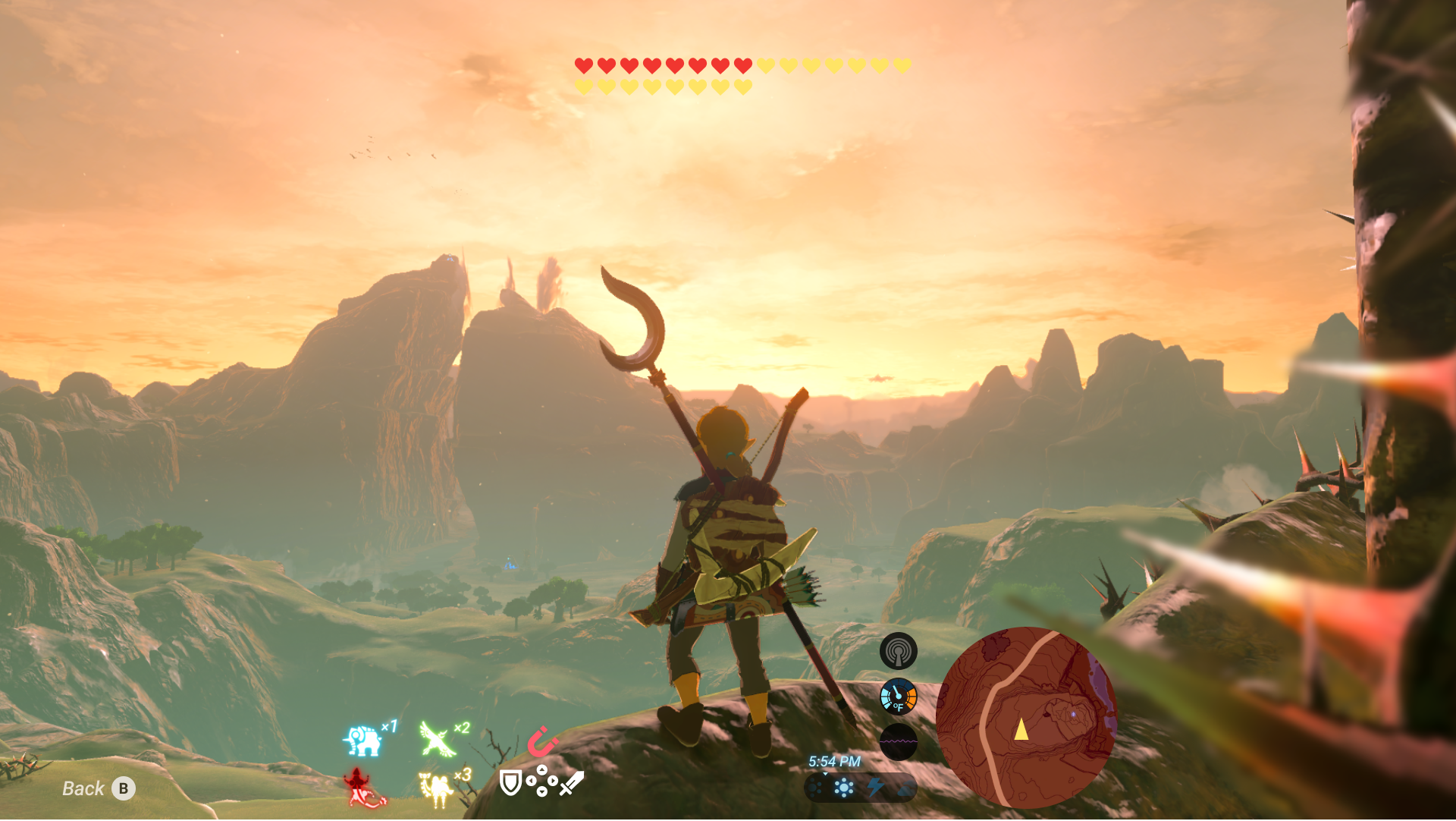
Center Mode: Moves all HUD elements to the middle of the screen
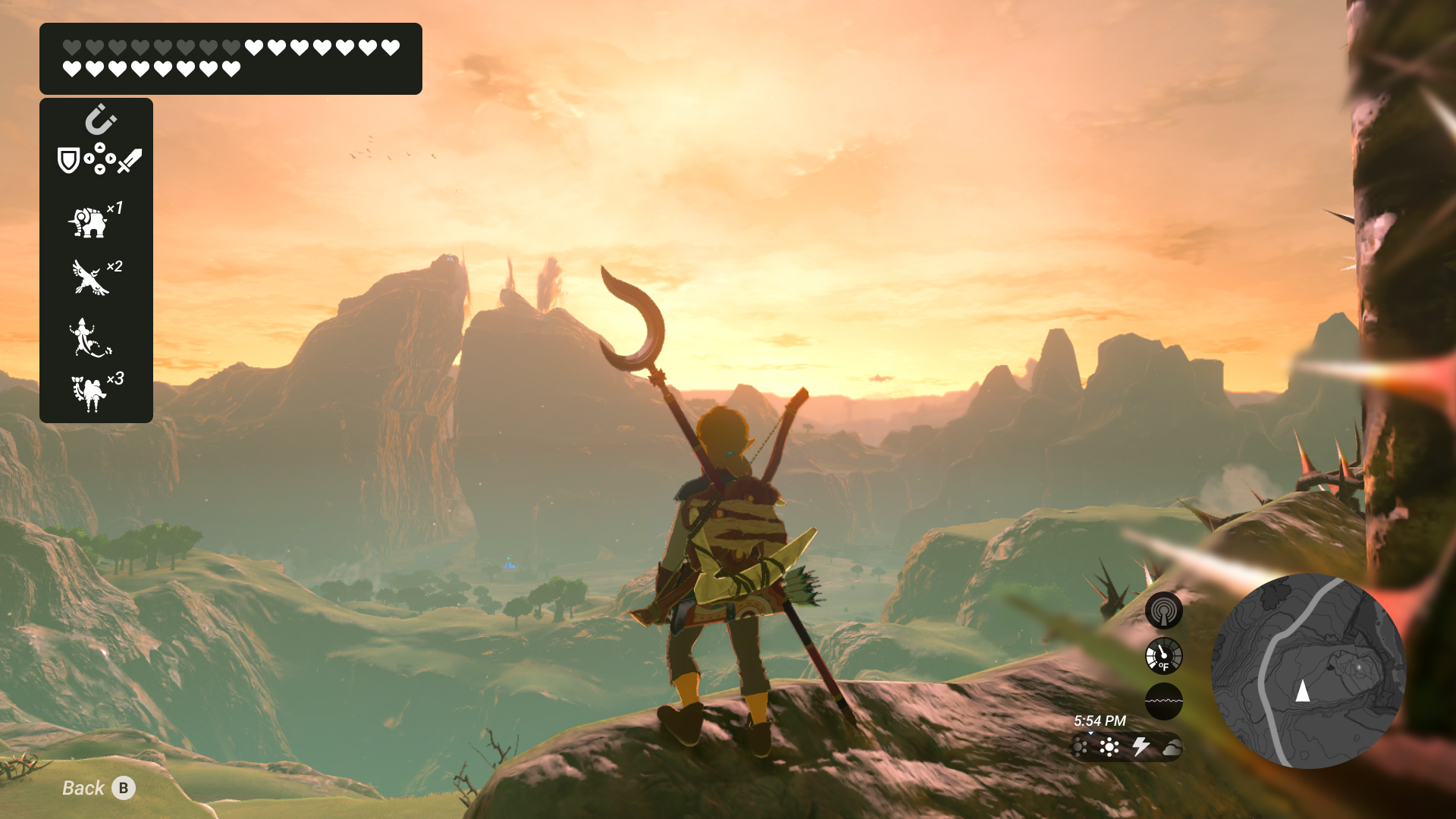
Dark Mode: Re-colors all HUD elements to grayscale.
Prototype Elements: Custom Configurations
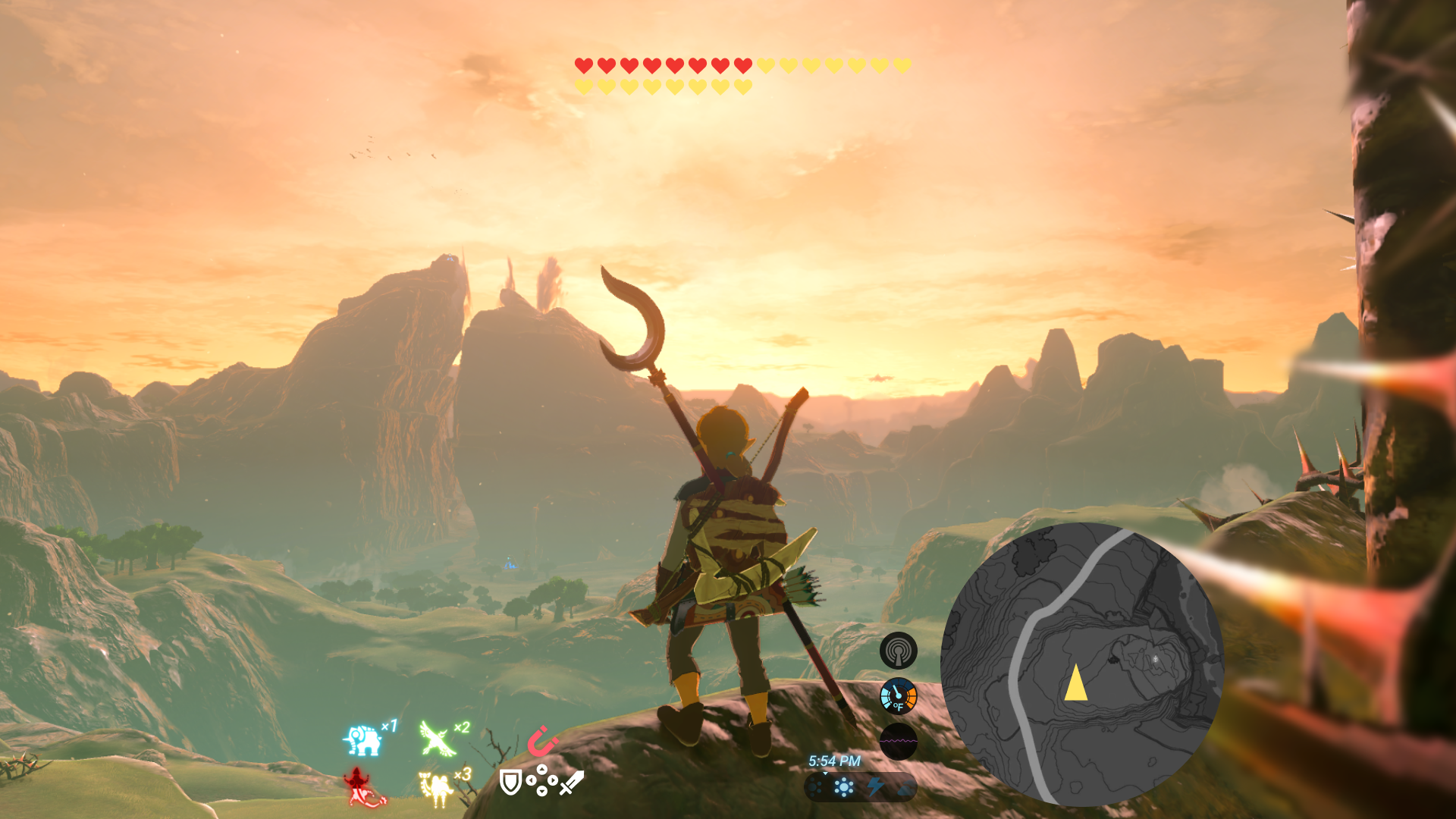
Custom: HUD modified to specific user preference
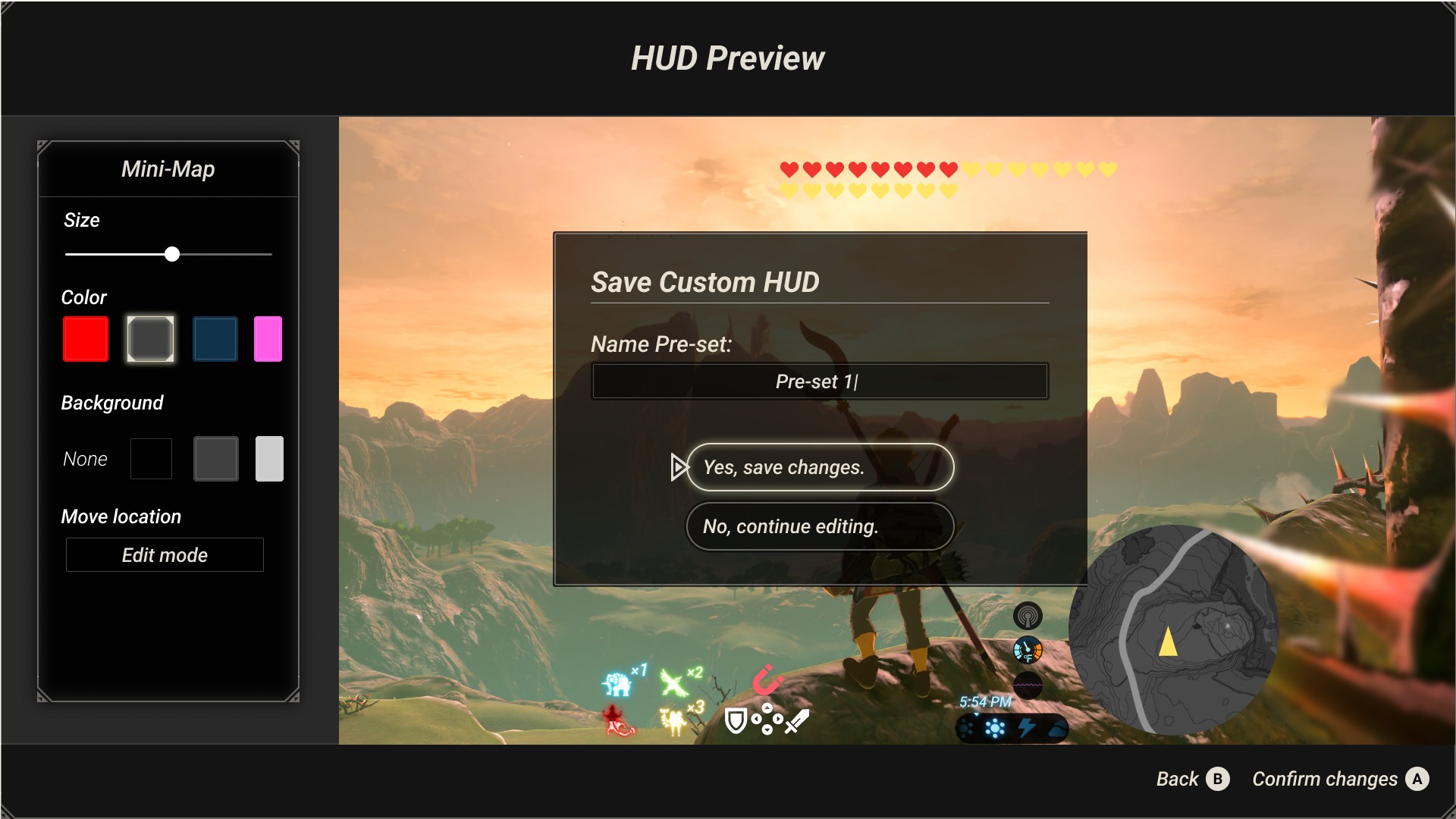
Custom Save: Custom HUDs can be saved and accessed from Settings >>Options
Prototype Elements: Customization Menu Accessibility
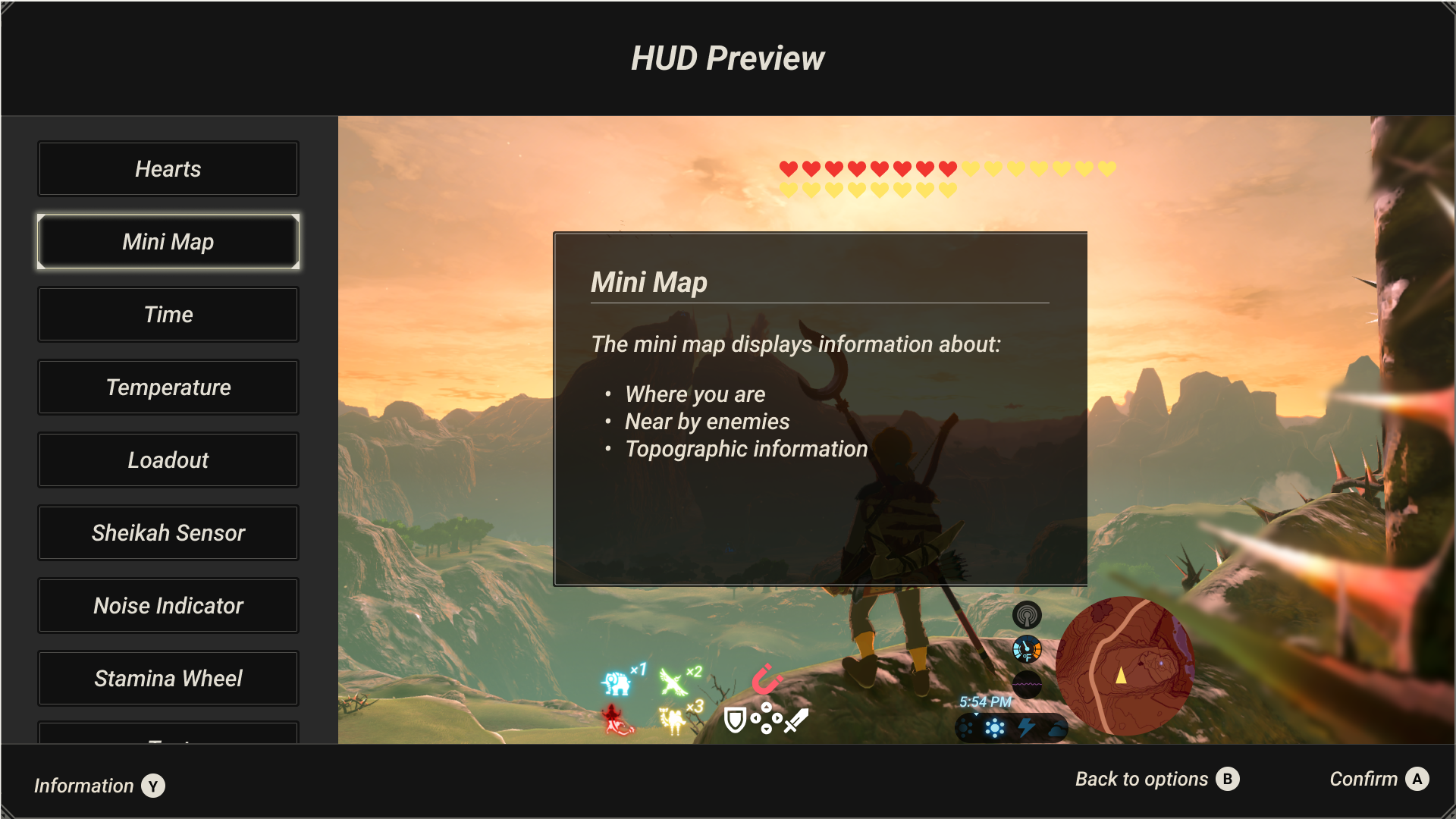
HUD element descriptions: Information about specific elements are displayed in high-contrast modals
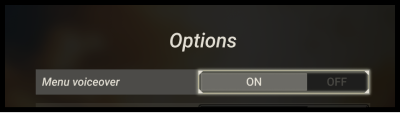
Menu voiceover: Users may turn on voiceover to narrate screen text

HUD element customization: Customization includes adjusting element size, color, text support, background color, and location placement
Watch the prototype in action in this video.
Reflection
This capstone project reflects the kind of research work I now bring to complex product spaces: turning ambiguous human needs into decision frameworks, product requirements, and design direction.
The work required balancing accessibility, player agency, cognitive load, technical feasibility, and inclusive UX research methods. It also reinforced a lesson that has carried through my later work: inclusive product decisions are strongest when research moves beyond identifying pain points and gives teams a practical framework for action.
With production resources, I would expand the work in four ways:
Partner more deeply with gaming accessibility organizations: Recruit more sustainably, compensate participants at a higher level, and ensure the work had a clearer path to real-world adoption.
Include engineering and game development partners from the start: Evaluate feasibility across game engines, platforms, and production timelines.
Test the customization mechanics directly: Controller interactions, content comprehension, preset selection, and saved configuration flows.
Explore adaptive HUD behavior: Elements respond to gameplay context and player preferences in addition to manual adjustment.
Acknowledgments
This project was only made possible by the contributions of many.
Participating members of the low vision community:
Riley, Brandon, Christian, Brian, Prestina, Wilmen, Liam, and Judy
The following organizations:
International Game Developers Association (IGDA)
/r/blindsurveys Subreddit
Michigan Bureau of Services for Blind Persons
Industry mentors:
Austin Yarger, Pablo Morales, and Lucy Neiss for your industry expertise, mentorship, and feedback
UI Kit:
Hunter Paramore, who developed the Figma Breath of the Wild UI Kit (https://hunterparamore.com/)